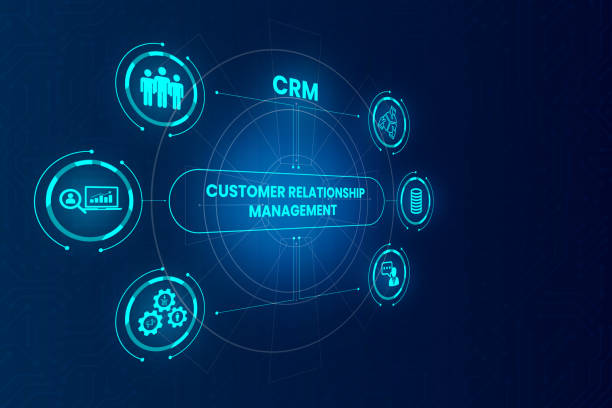
The Ultimate Guide to Software CRM: Elevating Your Business with Customer Relationship Management
In today’s fast-paced business world, maintaining strong relationships with your customers is crucial. That’s where Software CRM (Customer Relationship Management) comes into play. A well-implemented CRM system can transform how you interact with customers, streamline your operations, and boost your bottom line. In this comprehensive guide, we will delve into the world of CRM software, exploring its benefits, key features, and best practices for implementation.
What is Software CRM?
Software CRM is a tool designed to help businesses manage interactions with their customers and prospects. It consolidates customer information, tracks interactions, and automates various processes to improve efficiency and customer satisfaction. From small businesses to large enterprises, CRM software can be tailored to meet the specific needs of any organization.
Benefits of Using CRM Software
Implementing a CRM system can bring numerous advantages to your business. Here are some of the most significant benefits:
1. Enhanced Customer Relationships
By having all customer information in one place, your team can provide more personalized and timely service. CRM software allows you to track customer preferences, purchase history, and interaction patterns, enabling you to anticipate their needs and exceed their expectations.
2. Improved Efficiency and Productivity
Automation is a key feature of CRM software. Tasks such as data entry, follow-up emails, and appointment scheduling can be automated, freeing up your team to focus on more strategic activities. This not only increases productivity but also reduces the risk of human error.
3. Centralized Data Management
Gone are the days of scattered spreadsheets and fragmented data. CRM software centralizes all customer information, making it easily accessible to your team. This ensures that everyone is on the same page and can access up-to-date information when needed.
4. Better Sales Management
With CRM software, you can track sales activities, monitor the progress of deals, and analyze sales performance. This insight allows you to identify trends, optimize your sales process, and close more deals effectively.
5. Enhanced Marketing Campaigns
CRM systems provide valuable data that can be used to segment your audience and create targeted marketing campaigns. By understanding customer behavior and preferences, you can tailor your messaging and offers to resonate with specific segments, improving your marketing ROI.
Key Features of CRM Software
When choosing a CRM system, it’s essential to understand the key features that can benefit your business. Here are some of the most important features to look for:
1. Contact Management
A robust CRM system should have comprehensive contact management capabilities. This includes storing contact information, tracking interactions, and managing customer profiles.
2. Sales Automation
Sales automation features streamline the sales process by automating repetitive tasks such as follow-up emails, lead scoring, and pipeline management. This allows your sales team to focus on closing deals rather than administrative tasks.
3. Marketing Automation
Marketing automation tools within a CRM system can help you create, execute, and track marketing campaigns. This includes email marketing, social media integration, and campaign analytics.
4. Customer Service and Support
A good CRM system should include customer service and support features such as ticketing systems, live chat, and knowledge bases. This ensures that customer inquiries are handled efficiently and effectively.
5. Reporting and Analytics
CRM software should provide robust reporting and analytics capabilities. This allows you to track key performance indicators (KPIs), monitor sales and marketing performance, and make data-driven decisions.
6. Mobile Access
In today’s mobile world, having access to your CRM system on the go is essential. Look for a CRM solution that offers mobile apps or a mobile-friendly interface.
Implementing CRM Software: Best Practices
Implementing a CRM system can be a complex process, but following these best practices can help ensure a smooth transition:
1. Define Your Goals
Before implementing a CRM system, it’s crucial to define your goals. What do you want to achieve with the CRM? Whether it’s improving customer service, increasing sales, or streamlining marketing efforts, having clear goals will guide your implementation process.
2. Choose the Right CRM Solution
With so many CRM solutions available, it’s important to choose one that fits your business needs. Consider factors such as your budget, the size of your team, and the specific features you require.
3. Train Your Team
A CRM system is only as good as the people using it. Provide comprehensive training to your team to ensure they understand how to use the system effectively. This includes training on data entry, automation features, and reporting tools.
4. Migrate Your Data
Migrating your data to a new CRM system can be a daunting task, but it’s essential for a successful implementation. Clean up your existing data to remove duplicates and outdated information, and then import it into the new system.
5. Customize the System
Every business is unique, and your CRM system should reflect that. Customize the system to meet your specific needs, including creating custom fields, workflows, and reports.
6. Monitor and Adjust
Once your CRM system is up and running, it’s important to monitor its performance and make adjustments as needed. Regularly review your goals and KPIs to ensure the system is delivering the desired results.
CRM in the Cloud: The Future of Customer Relationship Management
The trend towards CRM in the cloud is undeniable. Cloud-based CRM systems offer numerous advantages over traditional on-premises solutions, including lower costs, easier scalability, and remote access. Here are some of the key benefits of using a cloud-based CRM:
1. Cost-Effective
Cloud-based CRM systems typically operate on a subscription model, which means you pay a monthly or annual fee based on the number of users. This eliminates the need for expensive hardware and software installations.
2. Scalability
As your business grows, a cloud-based CRM can easily scale with you. You can add or remove users as needed and access additional features without the need for significant infrastructure changes.
3. Remote Access
In today’s remote work environment, having access to your CRM system from anywhere is crucial. Cloud-based CRM systems can be accessed from any device with an internet connection, ensuring your team can work effectively from anywhere.
4. Automatic Updates
With a cloud-based CRM, you don’t have to worry about software updates and maintenance. The provider handles all updates and ensures your system is always running the latest version.
5. Enhanced Security
Cloud-based CRM providers typically offer robust security measures to protect your data. This includes encryption, regular backups, and compliance with industry standards.
Choosing the Right CRM Solution for Your Business
With so many CRM solutions on the market, choosing the right one for your business can be overwhelming. Here are some tips to help you make the right choice:
1. Assess Your Needs
Start by assessing your business needs. What are your primary goals for implementing a CRM system? What features are most important to you? Understanding your needs will help you narrow down your options.
2. Research and Compare
Once you have a clear understanding of your needs, start researching different CRM solutions. Compare features, pricing, and user reviews to identify the best options for your business.
3. Take Advantage of Free Trials
Many CRM providers offer free trials of their software. Take advantage of these trials to test the features and usability of the CRM before making a commitment.
4. Consider Integration
Your CRM system should integrate seamlessly with your existing tools and software. Consider the integration capabilities of each CRM solution and choose one that works well with your current systems.
5. Seek Input from Your Team
Involve your team in the decision-making process. Get feedback from the people who will be using the CRM system daily to ensure it meets their needs and preferences.
Conclusion
Implementing a Software CRM system can revolutionize the way you manage customer relationships and operate your business. By enhancing customer relationships, improving efficiency, and providing valuable insights, a CRM system can drive growth and success. Whether you choose an on-premises or cloud-based solution, following best practices for implementation and selecting the right CRM for your business will set you on the path to success. Embrace the power of CRM software and watch your business thrive.
Noticias relacionadas
 The businessman chooses MLM, multi-level marketing on the touch screen, the backdrop of the Christmas tree and decorations. Special toning
 CRM Customer Relationship Management for business sales marketing system concept presented in futuristic graphic interface of service application to support CRM database analysis.